Overview
ARTS incorporates the
analytical functionality relating to individual hydraulic
objects into the object's property pages. The analysis of
hydraulic systems is carried out by exacting the commands
in the Analysis menu. ARTS has four primary system
analysis functions as described below:
Hydraulic profile
Used for gravity flow systems such as WWTPs, open channels in series etc
Steady pipe fow
Used for pressurised pipe flow systems such as water distribution networks and pump/rising main systems
Unsteady pipe flow
Used for examining waterhammer in pump/rising main systems
Network
Used for pressurised pipe flow systems such as systems with pumps, as with the Steady flow function, but displays a textual result of the analysis at the end.
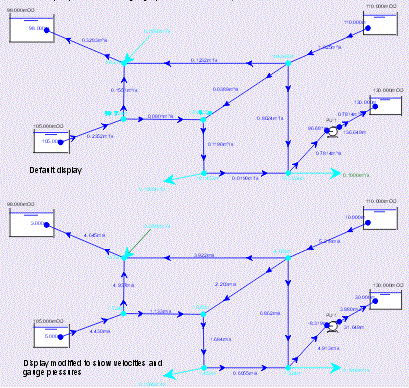
Having drawn the system on the design sheet and edited any relevant parameters, the user simply select one of the analysis functions. ARTS will then carry out the analysis, and display the results on the design sheet as displayed below. Once this has been done the user can modify the display on the design sheet to suit. For example, after a steady pipe flow analysis, ARTS will display flows in pipes, and potential heads at nodes/junctions. The user can select velocities in pipes from a list of available properties and/or gauge pressures at nodes, etc.